
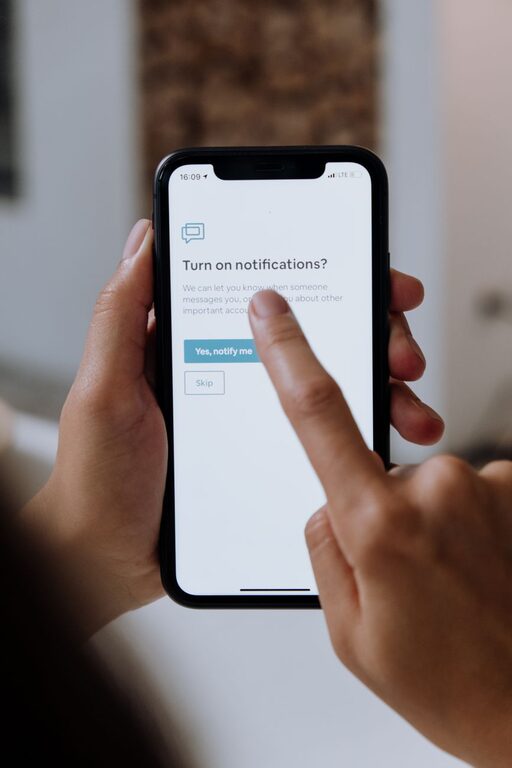
In today’s digital world, notifications are everywhere — from emails and social media updates to app alerts and reminders. While they keep us informed, they can also be overwhelming, distracting, and intrusive if not managed well. Setting boundaries with notifications can help improve focus, reduce stress, and create a better balance between work and personal life.
This guide offers practical tips to help you take control of your notifications and find a healthier relationship with your devices.
Why Setting Boundaries with Notifications Matters
Notifications are designed to grab your attention. However, constant interruptions can:
– Break concentration and reduce productivity.
– Increase stress levels and feelings of overwhelm.
– Interfere with quality time spent with family or during relaxation.
– Disrupt sleep if notifications come through at night.
By establishing clear boundaries, you can decide when and how to engage with alerts instead of being led by them.
Assess Your Current Notification Habits
Before making changes, it’s helpful to understand your current situation:
– Which apps or services send you the most notifications?
– How often do you check your phone or computer because of an alert?
– Do certain notifications cause anxiety or unnecessary distractions?
Take a day or two to track your notifications and how you react to them. This awareness will guide you in tailoring your boundaries.
Practical Tips to Set Boundaries with Notifications
1. Customize Notification Settings
Most devices and apps allow you to control the type of notifications you receive.
– Turn off non-essential alerts. Disable notifications for apps that don’t require immediate attention, such as games or certain social media.
– Set priority notifications. Choose to receive alerts only from important contacts or apps.
– Use “Silent” or “Do Not Disturb” modes. Activate these during meetings, focused work sessions, or personal time.
Taking time to review and adjust settings can drastically reduce unnecessary pings or buzzes.
2. Designate Specific Times for Checking Notifications
Instead of responding instantly, plan when to check messages and alerts:
– Create “notification breaks” during the day, for example morning, lunchtime, and late afternoon.
– Avoid checking notifications first thing in the morning or late at night to protect your mental space.
– Stick to these times as much as possible to avoid interruptions.
This approach helps you maintain focus and reduces compulsive device checking.
3. Use Technology to Help Manage Notifications
A variety of tools can assist in controlling notifications:
– Focus or concentration apps. These block distracting notifications while you work.
– Notification summary features. Some devices bundle notifications and deliver them at a set time instead of instantly.
– Email filters and rules. Automatically sort incoming messages so only important ones trigger alerts.
Experiment with different tools to find what suits your daily routine best.
4. Communicate Your Boundaries Clearly
Let people in your personal and work life know about your notification preferences:
– Inform colleagues if you won’t respond to messages outside work hours.
– Ask friends or family to call in emergencies instead of relying on texts or apps.
– Set expectations around your availability and response times.
Clear communication helps manage others’ expectations and reduces pressure on you.
5. Create a Device-Free Zone or Time
Sometimes the best boundary is stepping away from devices entirely:
– Establish device-free periods during meals, social gatherings, or before bed.
– Designate certain areas in your home as “no-phone zones.”
– Use an old-fashioned alarm clock to avoid using your phone for waking up.
Digital breaks allow your mind to rest and foster deeper connections with people around you.
Benefits of Managing Notifications Effectively
By setting these boundaries, you can experience:
– Increased productivity by focusing on tasks without frequent interruptions.
– Reduced stress, anxiety, and screen fatigue.
– Better sleep quality without nighttime alerts.
– Improved relationships through more intentional communication.
– More control over your time and attention.
Final Thoughts
Notifications are useful tools but can easily take over if not managed with care. Implementing boundaries around your digital alerts helps you stay in charge of your time and attention. Remember, small changes like adjusting settings or scheduling dedicated check-in times can make a significant difference. Start today to create a calmer, more focused daily routine.
With mindful use, notifications can support rather than disrupt your life.
About the Author